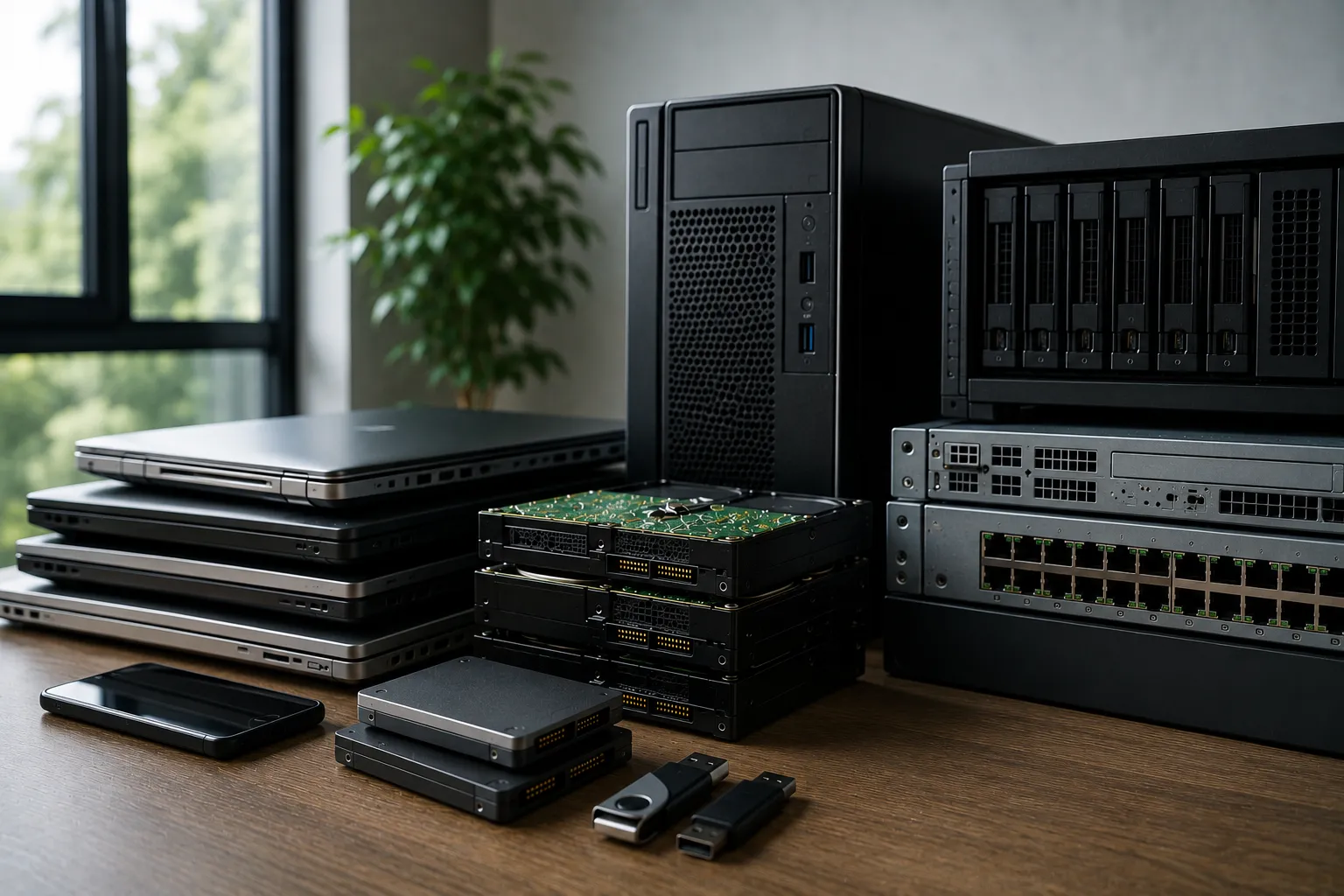
When organizations retire computers, laptops, servers, storage devices, and other technology assets, one critical question is often overlooked:
What happens to the data after the equipment leaves your office?
Many businesses invest significant resources protecting information while devices are actively being used. They implement security measures such as:
- Firewalls
- Access controls
- Encryption
- Security monitoring
- Backup systems
However, data security responsibilities do not end when a device is removed from an employee's desk or replaced during a technology refresh.
Retired IT equipment may still contain sensitive information, including:
- Customer records
- Employee data
- Financial information
- Internal documents
- Passwords and credentials
- Business strategies
- Intellectual property
If retired assets are not properly managed, organizations may face unnecessary security, compliance, and reputational risks even after the equipment has left their physical control.
A professional IT Asset Disposition (ITAD) process ensures that retired technology is handled securely from collection through final disposition.
This includes maintaining control of assets, protecting sensitive information, recovering remaining value, and ensuring responsible processing through:
- Redeployment
- Refurbishment
- Resale
- Recycling
- Assured Destruction when required
This article explains what happens to IT equipment after it leaves your office and why every stage of the process plays an important role in protecting your organization.
Why Data Security Does Not End After Device Retirement
Many organizations assume that removing a device from daily operations eliminates the security risk.
However, storage devices are specifically designed to preserve information. Even equipment that is old, damaged, or no longer in use may still contain recoverable data.
Examples of data-bearing assets include:
- Hard disk drives (HDDs)
- Solid-state drives (SSDs)
- USB storage devices
- Server storage systems
- Mobile devices
- Backup media
- Network storage equipment
A retired device is not simply an outdated piece of hardware.
Until proper data sanitization or Assured Destruction is completed, it remains a potential source of sensitive information exposure.
Organizations must consider the entire lifecycle of their data—not only how information is protected during use, but also how it is handled when technology reaches retirement.
The Journey of Retired IT Equipment
A properly managed ITAD process follows a structured lifecycle designed to maintain security, accountability, and value recovery.
A typical process includes:
Collection
↓
Inventory Verification
↓
Secure Transportation
↓
Data Sanitization
↓
Asset Evaluation
↓
Refurbishment / Resale / Recycling / Assured Destruction
↓
Documentation
Each stage serves an important purpose.
The objective is not simply to remove old equipment from the office.
The objective is to ensure that every asset is securely managed and that organizations can verify what happened to their equipment and data after it leaves their control.
Step 1: Secure Collection From Your Facility
The ITAD process begins when retired equipment is removed from your organization's premises.
Secure collection procedures help ensure that assets remain protected from the moment they leave their original location.
A professional collection process should include:
- Identifying equipment before removal
- Recording asset details
- Confirming quantities
- Handling devices properly
- Maintaining accountability throughout collection
Collected equipment may include:
- Laptops
- Desktop computers
- Servers
- Hard drives
- Network equipment
- Mobile devices
- Storage systems
Proper collection creates the foundation for secure asset management.
Why Secure Collection Matters
Without controlled collection procedures, organizations may lose visibility over their retired technology.
Potential risks include:
- Missing devices
- Untracked assets
- Incorrect inventory records
- Unauthorized access
- Difficulty proving final disposition
Once equipment leaves an organization's facility, maintaining accountability becomes increasingly important.
A secure collection process ensures that retired assets enter a controlled ITAD workflow rather than becoming unmanaged inventory.
Step 2: Maintaining Chain of Custody
One of the most important elements of secure IT Asset Disposition is maintaining a documented chain of custody.
Chain of custody provides a record of how retired IT assets are handled from the moment they leave an organization's facility until final processing is completed.
This process ensures that equipment remains controlled, tracked, and properly managed throughout every stage of its journey.
A documented chain of custody may include:
- Date and time of collection
- Collection location
- Asset identification details
- Responsible personnel
- Transportation information
- Processing status
- Final disposition outcome
For organizations managing sensitive information, this level of accountability is essential.
Why Chain of Custody Matters
Once IT equipment leaves an organization's premises, businesses need confidence that their assets remain secure.
A clear chain of custody helps support:
- Internal security reviews
- Compliance assessments
- Customer assurance requirements
- Audit processes
- Corporate governance practices
Without proper tracking, organizations may not be able to answer important questions such as:
- Where did the equipment go?
- Who handled the assets?
- Was the data properly removed?
- Was the equipment recycled, resold, or destroyed?
- Can the final outcome be verified?
A professional ITAD process provides visibility from collection through final disposition.
Step 3: Secure Transportation
After collection, retired equipment must be transported safely to the processing facility.
Transportation is a critical stage because assets are physically outside the organization's direct control.
Secure transportation practices may include:
- Proper packaging and handling procedures
- Secure transportation vehicles
- Trained personnel
- Asset tracking procedures
- Controlled transfer processes
IT equipment often contains valuable hardware and potentially sensitive information. Proper transportation reduces the risk of loss, damage, or unauthorized access during movement.
Why Secure Transportation Is Important
Many organizations focus heavily on protecting equipment inside their facilities but underestimate the risks involved during transport.
Potential risks include:
- Lost equipment
- Theft
- Accidental damage
- Unauthorized handling
- Incomplete asset records
A secure transportation process ensures that retired technology remains protected until it reaches the next stage of processing.
Step 4: Asset Identification and Assessment
Once retired equipment arrives at the processing facility, each asset undergoes identification and evaluation.
The purpose of this stage is to determine the most appropriate next step for each device.
Not every retired asset requires the same outcome.
Some equipment may still have significant value, while other assets may require recycling or Assured Destruction due to security concerns.
Assets are typically assessed based on:
- Device type
- Age
- Physical condition
- Functionality
- Market demand
- Data sensitivity
- Business requirements
Possible outcomes include:
- Redeployment
- Refurbishment
- Resale
- Recycling
- Assured Destruction
Why Asset Assessment Matters
A common mistake organizations make is treating all retired equipment the same way.
Sending every device directly to recycling or destruction may result in:
- Lost recovery opportunities
- Reduced sustainability benefits
- Unnecessary processing costs
A proper assessment allows organizations to make informed decisions.
For example:
A functioning laptop may still be suitable for refurbishment and resale.
A failed hard drive containing sensitive information may require Assured Destruction.
The goal is to identify the safest and most valuable path for each asset.
Step 5: Data Sanitization
Before equipment can be reused, resold, recycled, or otherwise processed, any stored information must be securely removed.
Professional data sanitization ensures that sensitive information cannot be easily recovered after an asset leaves organizational control.
Data sanitization methods may include:
- Secure data wiping
- Cryptographic erase
- Physical destruction when required
The appropriate method depends on:
- Data classification
- Security requirements
- Device condition
- Intended final outcome
Why Data Sanitization Is Important
Many organizations assume that deleting files, formatting drives, or performing a factory reset permanently removes information.
However, these actions may not eliminate the underlying data.
Information may remain recoverable through specialized tools and techniques.
Examples of insufficient disposal practices include:
- Emptying the recycle bin
- Deleting user accounts
- Formatting storage devices
- Performing basic factory resets
For organizations handling sensitive information, professional sanitization provides a more reliable approach to protecting data throughout the asset lifecycle.
Step 6: Deciding the Final Asset Outcome
After equipment has been assessed and data security requirements have been addressed, each asset moves toward the most appropriate final outcome.
A responsible ITAD process does not apply a single solution to every retired device.
Instead, organizations should evaluate each asset individually and determine whether it should be:
- Refurbished
- Resold
- Recycled
- Processed through Assured Destruction
The correct decision depends on several factors, including:
- Equipment condition
- Remaining useful life
- Data sensitivity
- Market value
- Business requirements
- Sustainability objectives
The goal is to protect sensitive information while maximizing the remaining value of retired technology.
Option 1: Refurbishment
If equipment remains functional and has useful life remaining, refurbishment may be the best option.
Refurbishment restores retired technology so it can continue operating effectively.
The process may include:
- Equipment testing
- Cleaning
- Component replacement
- Hardware upgrades
- Quality inspection
- Data sanitization
Refurbished equipment may then be:
- Redeployed internally
- Used as backup equipment
- Provided for secondary business functions
- Prepared for resale
Why Refurbishment Matters
Refurbishment provides organizations with several benefits.
Extends Equipment Lifespan
Technology that is no longer suitable for one purpose may still provide value in another environment.
Extending the useful life of equipment reduces unnecessary replacement and helps organizations maximize their technology investments.
Supports Sustainability Goals
Refurbishment helps organizations:
- Reduce electronic waste
- Extend product lifecycles
- Improve resource efficiency
- Support circular economy practices
Keeping functional technology in use longer reduces the need for premature disposal.
Preserves Asset Value
A functioning device generally retains more value than equipment sent directly for material recovery.
Refurbishment allows organizations to recover additional value through continued use or secondary markets.
Option 2: Resale
Some retired IT equipment may continue to have market value after it leaves an organization.
Resale involves transferring ownership of prepared equipment to another user, organization, or secondary market.
Before resale, assets should undergo:
- Data sanitization
- Functional testing
- Quality checks
- Asset grading
- Proper documentation
Suitable resale candidates may include:
- Recent-generation laptops
- Enterprise servers
- Networking equipment
- Professional computing devices
Benefits of Reselling IT Equipment
Financial Recovery
Resale allows organizations to recover part of their original technology investment.
Recovered value may help support:
- Future technology purchases
- Hardware refresh programs
- Operational expenses
Improved Asset Visibility
A structured resale process creates a clear record of what happened to retired equipment.
Organizations gain better visibility into:
- Assets removed from service
- Final disposition outcomes
- Recovered value
Supports Responsible Technology Use
Resale allows equipment to continue serving a useful purpose instead of becoming unnecessary waste.
By extending the life of technology, organizations support more sustainable asset management practices.
Option 3: Recycling
When equipment can no longer be reused, responsible recycling becomes the appropriate pathway.
IT asset recycling focuses on recovering valuable materials from technology that has reached the end of its practical use.
Recovered materials may include:
- Aluminum
- Copper
- Steel
- Plastics
- Electronic components
Professional recycling ensures that electronic equipment is processed responsibly instead of entering unmanaged waste streams.
Benefits of Responsible Recycling
Reduces Electronic Waste
Recycling helps prevent outdated technology from accumulating in storage areas or being disposed of improperly.
Recovers Valuable Materials
Electronic equipment contains materials that can be recovered and returned into manufacturing cycles.
Supports Environmental Responsibility
Responsible recycling supports:
- Sustainability programs
- Environmental objectives
- Circular economy initiatives
Organizations can reduce environmental impact while ensuring retired technology is handled appropriately.
Option 4: Assured Destruction
Certain assets require permanent destruction because the information they contain or the condition of the equipment makes reuse inappropriate.
Assured Destruction provides organizations with confidence that sensitive information is permanently eliminated through controlled destruction processes.
This option may be appropriate for:
- Failed hard drives
- Damaged storage devices
- Highly sensitive information assets
- Equipment that cannot be securely sanitized
Methods may include:
- Hard drive shredding
- Crushing
- Physical destruction of storage media
- Other approved destruction processes
After destruction, remaining materials may still be processed through responsible recycling channels.
Step 7: Receiving Documentation and Reports
A professional ITAD process should provide documentation confirming how retired assets were handled.
Documentation creates accountability and provides evidence that security and processing requirements were followed.
Reports may include:
Asset Disposition Reports
These reports provide details such as:
- Equipment processed
- Asset identification information
- Final disposition outcome
- Processing dates
Asset disposition reporting helps organizations maintain accurate records of retired technology.
Data Sanitization Certificates
For assets that undergo data wiping, organizations may receive documentation confirming:
- Devices processed
- Sanitization method used
- Completion date
- Verification status
These records provide evidence that data protection procedures were completed.
Certificates of Destruction
For assets processed through Assured Destruction, organizations may receive certificates confirming:
- Assets destroyed
- Destruction method
- Date of completion
- Processing details
Certificates of destruction provide important documentation for internal governance, audits, and compliance reviews.
Why Documentation Matters
Proper documentation is one of the most important elements of a professional IT Asset Disposition process.
Organizations need more than confirmation that equipment was removed from their office.
They need evidence that assets were:
- Properly tracked
- Securely processed
- Handled according to requirements
- Given an appropriate final disposition
Documentation supports:
- Compliance requirements
- Internal governance
- Security audits
- Customer assurance
- Sustainability reporting
It provides organizations with the ability to demonstrate accountability and answer an important question:
Can we prove what happened to our equipment and data after it left our control?
A complete ITAD record creates confidence that retired assets were managed responsibly from collection through final disposition.
Common Misconceptions About IT Equipment Disposal
"Once We Delete Files, the Device Is Safe"
Many organizations believe deleting files is enough to protect sensitive information.
However, deleted data may still be recoverable using specialized recovery tools.
Secure data sanitization or Assured Destruction provides a more reliable method of protecting information when devices leave organizational control.
"Old Equipment Has No Remaining Value"
Retired technology is often viewed as waste, but many assets may still provide value.
Depending on their condition, devices may be:
- Redeployed internally
- Refurbished
- Resold
- Recycled for material recovery
A structured ITAD assessment helps organizations identify the best outcome for each asset.
"Recycling Automatically Means Data Is Destroyed"
Recycling focuses on recovering materials from electronic equipment.
However, recycling alone does not guarantee that sensitive information has been removed.
Organizations should confirm that proper data sanitization or Assured Destruction has taken place before equipment enters the recycling process.
"Keeping Old Equipment in Storage Is Safer"
Some organizations believe storing retired devices is the safest option because the equipment remains within company control.
However, storage does not eliminate risk.
Stored devices may still contain:
- Customer information
- Employee records
- Business documents
- Credentials
- Confidential data
Over time, stored equipment can also become more difficult to track, manage, and process.
How ITAD Protects Businesses After Equipment Leaves the Office
A professional IT Asset Disposition program provides protection across several important areas.
Security Protection
ITAD helps reduce information security risks through:
- Secure collection
- Chain of custody controls
- Data sanitization
- Assured Destruction when required
- Controlled processing procedures
These practices help ensure sensitive information remains protected throughout the asset lifecycle.
Accountability and Transparency
A structured ITAD process provides visibility through:
- Asset tracking
- Processing records
- Data sanitization documentation
- Certificates of destruction
- Final disposition reports
Organizations gain confidence that retired equipment was handled properly.
Sustainability Support
Responsible ITAD helps organizations reduce environmental impact through:
- Equipment reuse
- Refurbishment
- Resale
- Responsible recycling
Instead of treating retired technology as waste, businesses can recover value and keep resources in use longer.
Value Recovery
Retired equipment may still provide financial benefits through:
- Refurbishment
- Secondary markets
- Component recovery
- Material recycling
A professional ITAD approach helps organizations identify opportunities to recover value while maintaining security requirements.
ITAD and Compliance in the Philippines
Organizations handling personal information should consider their responsibilities under the:
Republic Act No. 10173 – Data Privacy Act of 2012
The regulation establishes obligations for organizations that collect, process, store, and manage personal information.
While there is no single disposal method required for every type of information or asset, organizations are expected to implement appropriate safeguards throughout the information lifecycle.
Secure IT equipment disposal practices support responsible data management by helping reduce risks associated with retired devices.
Organizations should also consider additional requirements depending on their industry, including sectors such as:
- Financial services
- Healthcare
- Telecommunications
- Business process outsourcing (BPO)
- Government organizations
Different industries may have additional security, privacy, or record-management expectations.
Best Practices for Companies Disposing of IT Equipment
Organizations can improve their retired asset management process by following several best practices.
1. Include ITAD in Technology Lifecycle Planning
IT asset disposition should not be considered only after equipment becomes obsolete.
Organizations should plan for retirement throughout the technology lifecycle.
This includes considering:
- Expected equipment lifespan
- Data protection requirements
- Replacement timelines
- Final disposition options
Early planning helps prevent unmanaged equipment accumulation.
2. Classify Data Sensitivity
Not all information requires the same level of protection.
Organizations should identify which assets require:
- Data wiping
- Enhanced sanitization procedures
- Assured Destruction
A risk-based approach ensures security requirements match the sensitivity of the information involved.
3. Maintain Accurate Asset Records
Organizations should maintain visibility over retired technology.
Important records may include:
- Device information
- Asset ownership
- Location history
- Processing status
- Final disposition
Accurate records improve accountability and simplify audits.
4. Request Proper Documentation
Organizations should ensure that their ITAD provider can provide complete documentation throughout the disposition process.
Proper records help demonstrate that retired assets were handled securely and responsibly.
Documentation may include:
- Asset disposition reports
- Data sanitization certificates
- Certificates of destruction
- Recycling reports
- Processing summaries
These records provide valuable evidence for:
- Internal audits
- Security reviews
- Compliance assessments
- Customer requirements
- Corporate governance
A documented ITAD process allows organizations to verify not only where equipment went, but also what happened to the information stored on those devices.
5. Work With Experienced ITAD Providers
Choosing the right ITAD partner is an important part of protecting retired technology assets.
Organizations should work with providers capable of managing the complete asset lifecycle, including:
- Secure logistics
- Asset tracking
- Data sanitization
- Refurbishment
- Resale
- Responsible recycling
- Assured Destruction when required
- Documentation and reporting
A qualified ITAD provider helps organizations balance three important goals:
- Protecting sensitive information
- Recovering remaining asset value
- Supporting responsible environmental practices
Conclusion
The moment IT equipment leaves your office is not the end of your responsibility.
Retired computers, servers, storage devices, and other technology assets may continue to contain valuable and sensitive information until they are properly processed.
Without a structured approach, organizations may face unnecessary risks involving:
- Data exposure
- Compliance challenges
- Loss of asset value
- Poor inventory control
- Improper disposal practices
A professional IT Asset Disposition (ITAD) process ensures that every stage of the equipment lifecycle is managed securely and responsibly.
From secure collection and chain of custody to data sanitization, refurbishment, recycling, and Assured Destruction when required, every step plays a role in protecting information and maximizing the value of retired technology.
The question is not only:
"Where did our old equipment go?"
The more important question is:
"Can we prove what happened to our data after it left our control?"
A structured ITAD process provides that confidence by creating security, accountability, and transparency throughout the entire disposition journey.
How Envirocycle Can Help With Secure IT Asset Disposition
Managing retired IT equipment requires more than simply removing devices from the office.
Organizations need a trusted partner that can help protect sensitive information, maintain accountability, recover asset value, and ensure responsible processing throughout the entire IT asset lifecycle.
Envirocycle helps organizations manage retired technology through a structured IT Asset Disposition (ITAD) approach that includes:
Secure Collection and Logistics
Envirocycle helps organizations safely remove retired IT equipment from their facilities while maintaining proper handling procedures and asset accountability.
This includes managing equipment such as:
- Laptops
- Desktop computers
- Servers
- Storage devices
- Networking equipment
- Other electronic assets
Data Security and Assured Destruction
Protecting sensitive information is one of the most important parts of IT asset disposal.
Envirocycle supports secure data management through appropriate solutions, including:
- Data sanitization
- Secure data wiping
- Assured Destruction for assets requiring permanent destruction
These processes help organizations reduce the risk of unauthorized access to confidential information after equipment leaves their control.
Asset Recovery and Value Maximization
Not every retired device needs to be destroyed.
Envirocycle evaluates equipment to identify opportunities for:
- Redeployment
- Refurbishment
- Resale
- Responsible recycling
This approach helps organizations maximize the remaining value of their technology assets while supporting more sustainable practices.
Responsible Recycling
For equipment that has reached the end of its useful life, Envirocycle supports responsible electronic waste management.
Through proper recycling practices, valuable materials can be recovered while reducing the environmental impact of electronic waste.
Complete Documentation and Reporting
A professional ITAD process requires transparency.
Envirocycle provides documentation to help organizations maintain records of:
- Assets processed
- Final disposition outcomes
- Data sanitization activities
- Assured Destruction activities when applicable
- Recycling results
This gives organizations confidence that their retired technology has been handled securely and responsibly.
Protect Your Data Beyond the Office
When IT equipment leaves your facility, your responsibility for the information stored on those devices does not end.
A structured ITAD process helps organizations protect sensitive data, recover value from retired assets, and support responsible environmental practices.
Envirocycle helps businesses confidently manage the final stage of their technology lifecycle through secure, transparent, and responsible IT Asset Disposition solutions.
Related Articles
- The Difference Between Data Wiping and Hard Drive Destruction
- What Is Assured Destruction and Why Does It Matter?
- Why Deleting Files Isn't Enough: A Business Guide to Secure Data Disposal
- The Complete Guide to IT Asset Disposition (ITAD) in the Philippines
- Refurbish, Resell, or Recycle? How to Maximize the Value of Retired IT Assets
References
- National Institute of Standards and Technology (NIST). Special Publication 800-88 Revision 1: Guidelines for Media Sanitization.
- ISO/IEC 27001 – Information Security Management Systems.
- ISO/IEC 21964 – Destruction of Data Carriers.
- Republic Act No. 10173 – Data Privacy Act of 2012, Philippines.