Introduction
When organizations retire computers, servers, storage devices, and other technology assets, one of the most important questions they must answer is:
How can we ensure the information stored on these devices is securely and permanently removed?
Modern businesses rely on technology to store and process large amounts of sensitive information. Even after equipment reaches the end of its operational life, storage devices may still contain valuable and confidential data, including:
- Customer information
- Employee records
- Financial documents
- Business strategies
- Intellectual property
- Login credentials
- Confidential communications
Simply deleting files, performing a factory reset, or formatting a device does not guarantee that information has been permanently removed.
Data may still exist on storage media and could potentially be recovered using specialized tools.
For this reason, organizations must carefully evaluate how retired technology is handled before equipment is:
- Reused
- Refurbished
- Resold
- Recycled
- Destroyed
Two of the most common approaches for protecting information from retired IT assets are:
- Data wiping
- Hard drive destruction
Although both methods are designed to protect sensitive information, they serve different purposes and are suitable for different situations.
Data wiping focuses on securely removing information while allowing equipment to continue providing value.
Hard drive destruction focuses on permanently eliminating the storage media when reuse is not appropriate or when security requirements require physical destruction.
Choosing the correct method depends on several factors, including:
- Data sensitivity
- Equipment condition
- Business requirements
- Security policies
- Compliance obligations
- Sustainability objectives
A professional IT Asset Disposition (ITAD) process helps organizations determine the most appropriate approach for each asset while balancing security, recovery value, and environmental responsibility.
Organizations working with Envirocycle can receive support throughout the retirement process, including asset assessment, secure data handling, data wiping, assured destruction when required, responsible recycling, and documentation of final disposition.
What Is Data Wiping?
Data wiping is the process of securely removing information from a storage device by overwriting existing data so that it cannot be recovered through standard data recovery methods.
Unlike simply deleting files, professional data wiping removes the underlying information stored on the device and prepares the equipment for possible reuse.
Data wiping is commonly used when organizations want to preserve the remaining value of their technology assets while ensuring confidential information is properly removed.
Examples of situations where data wiping may be appropriate include:
- Employee laptop refresh programs
- Internal equipment redeployment
- Refurbishment projects
- Resale programs
- Technology upgrades
A properly performed data wiping process should include verification and documentation to demonstrate that the information has been securely removed.
One commonly referenced framework for media sanitization is:
NIST Special Publication 800-88: Guidelines for Media Sanitization
This guidance provides recommendations for managing data removal based on factors such as:
- Type of storage media
- Security requirements
- Intended future use of the equipment
How Does Data Wiping Work?
A professional data wiping process involves several important stages.
Step 1: Device Identification and Asset Recording
Before sanitization begins, each device should be identified and recorded.
Information may include:
- Manufacturer
- Model
- Serial number
- Asset tag
- Storage capacity
- Device condition
Accurate identification ensures organizations maintain visibility and accountability throughout the process.
Step 2: Equipment Assessment
Before deciding on the final disposition method, equipment should be evaluated to determine whether it still has useful life.
The assessment helps identify whether the asset is suitable for:
- Internal reuse
- Refurbishment
- Resale
- Recycling
A device that is no longer needed by one organization may still provide value elsewhere.
Step 3: Secure Data Sanitization
During the wiping process, specialized software is used to overwrite stored information according to approved sanitization procedures.
Depending on the device type and security requirements, methods may include:
- Data overwriting
- Secure erase functions
- Cryptographic erase
The selected method should match the storage technology involved, including traditional hard disk drives (HDDs) and solid-state drives (SSDs).
Step 4: Verification and Reporting
A professional sanitization process should include verification that the data removal procedure was completed successfully.
Documentation may include:
- Asset details
- Sanitization method used
- Completion date
- Verification results
- Processing records
These records provide organizations with evidence that retired equipment was handled responsibly.
Benefits of Data Wiping
Data wiping provides organizations with a secure way to remove sensitive information while preserving the potential value of their technology assets.
Unlike physical destruction, wiping allows equipment to remain intact and potentially continue serving a useful purpose.
1. Preserves Asset Value
One of the greatest advantages of data wiping is that the physical equipment remains available for future use.
After secure sanitization, organizations may be able to:
- Redeploy devices internally
- Refurbish equipment
- Resell technology assets
- Donate usable equipment responsibly
A laptop, desktop computer, or storage device that is no longer needed by one department may still provide value in another environment.
By preserving equipment where possible, organizations can maximize their original technology investment.
2. Supports Sustainability Goals
Extending the useful life of technology helps reduce unnecessary electronic waste.
Data wiping supports responsible technology management by allowing organizations to prioritize:
- Reuse
- Refurbishment
- Asset recovery
- Circular economy practices
Instead of immediately destroying equipment, businesses can first determine whether assets can continue providing value.
3. Provides Better Financial Recovery Opportunities
Technology assets often retain value after they are retired from active business use.
Secure data wiping allows organizations to explore opportunities such as:
- Refurbishment
- Resale
- Secondary market recovery
- Internal redeployment
Recovering value from retired equipment can help offset future technology investments and reduce the overall cost of IT lifecycle management.
4. Suitable for Large-Scale Technology Refresh Projects
Organizations replacing large numbers of devices often rely on data wiping because it allows secure processing at scale while preserving reusable assets.
Examples include:
- Employee laptop replacement programs
- Corporate hardware upgrades
- Data center refresh projects
- Server replacement initiatives
A structured process ensures that hundreds or thousands of devices can be securely processed while maintaining proper tracking and documentation.
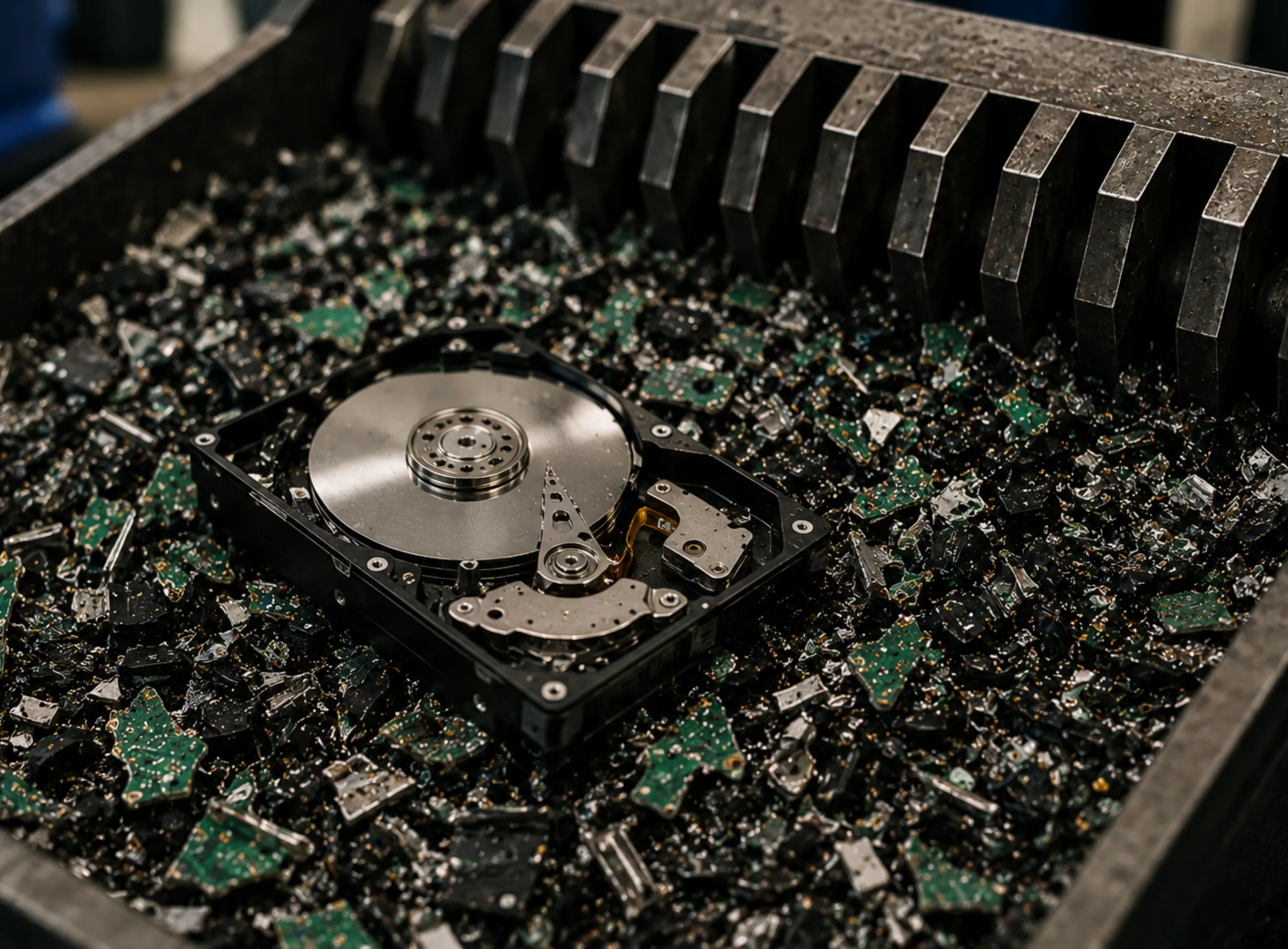
What Is Hard Drive Destruction?
Hard drive destruction is a method of permanently eliminating stored information by physically destroying the storage media.
Instead of removing data through software, the storage device itself is damaged or destroyed so that information recovery becomes impractical or impossible.
Hard drive destruction is often selected when:
- Devices cannot be reused
- Storage media has failed
- Information sensitivity is extremely high
- Company policies require physical destruction
- Security requirements exceed what reuse-based sanitization can provide
Methods of hard drive destruction may include:
- Shredding
- Crushing
- Dismantling
- Other approved physical destruction processes
Once a drive has been physically destroyed, it can no longer function as a storage device.
How Does Hard Drive Destruction Work?
A professional hard drive destruction process should maintain security and accountability from collection through final processing.
Step 1: Asset Identification
Before destruction begins, each device should be identified and recorded.
Records may include:
- Serial numbers
- Asset information
- Device quantities
- Ownership details
This provides organizations with visibility into which assets were processed.
Step 2: Secure Handling and Chain of Custody
Maintaining control over retired storage devices is essential.
A secure process should document:
- When assets were collected
- Who handled the equipment
- Where assets were transported
- Who performed the destruction process
A documented chain of custody helps demonstrate that sensitive assets were managed appropriately throughout their lifecycle.
Step 3: Physical Destruction
The storage media is destroyed using specialized equipment and approved procedures.
Examples include:
- Industrial hard drive shredders
- Crushing equipment
- Secure destruction systems
The objective is to physically damage the storage components so that the information stored on them cannot be recovered.
Step 4: Documentation and Certification
Following destruction, organizations should receive appropriate documentation confirming completion.
Records may include:
- Certificate of Destruction
- Asset processing reports
- Destruction records
- Final disposition documentation
These records support internal governance, audits, and compliance requirements.
Benefits of Hard Drive Destruction
1. Provides Maximum Data Security Assurance
Hard drive destruction provides organizations with a high level of confidence that sensitive information cannot be recovered.
This makes it particularly valuable for assets containing highly confidential information.
Examples include:
- Intellectual property
- Proprietary business information
- Sensitive customer records
- Confidential corporate data
2. Suitable for Failed or Damaged Storage Devices
Not every storage device can be securely wiped.
Some drives may be:
- Physically damaged
- Corrupted
- Unable to power on
- Inaccessible to sanitization software
In these situations, assured destruction may be the most appropriate solution.
3. Supports Highly Sensitive Information Requirements
Some organizations require physical destruction because of the sensitivity of the information involved.
Industries that may commonly require destruction processes include:
- Financial services
- Healthcare
- Government
- Telecommunications
- Business Process Outsourcing (BPO)
For these organizations, protecting confidential information remains the priority even when equipment can no longer be reused.
Data Wiping vs Hard Drive Destruction: Understanding the Difference
Both methods play an important role in secure IT asset management, but they are designed for different circumstances.
| Category | Data Wiping | Hard Drive Destruction |
|---|---|---|
| Method | Software-based data removal | Physical destruction of storage media |
| Primary Purpose | Remove data while preserving equipment value | Permanently eliminate storage media |
| Equipment Condition | Usually functional | Often damaged or unsuitable for reuse |
| Reuse Potential | High | Not possible after destruction |
| Asset Recovery | Strong opportunity for reuse or resale | Limited to material recovery |
| Security Approach | Verified sanitization | Physical elimination of media |
| Best Use Case | Refurbishment, redeployment, resale | Highly sensitive or failed storage devices |
The correct choice depends on the organization's security requirements, asset condition, and future plans for the equipment.
When Should Companies Choose Data Wiping?
Data wiping is generally the preferred option when organizations want to securely remove information while preserving the remaining value of their technology assets.
It is most suitable when:
- The equipment is still functional
- The device may be refurbished
- The asset has resale potential
- The organization wants to maximize recovery value
- The data classification allows the equipment to be reused
Rather than immediately destroying equipment, organizations can use secure data wiping to prepare assets for their next stage of use.
Examples include:
Example 1: Corporate Laptop Refresh Program
A company replaces hundreds of employee laptops as part of a technology upgrade.
Instead of disposing of the devices immediately, the organization can:
- Collect retired laptops
- Record asset information
- Perform secure data wiping
- Test equipment functionality
- Refurbish suitable devices
- Redeploy or resell the assets
This approach protects company information while allowing the organization to recover additional value from its technology investments.
Example 2: Employee Device Return Programs
Organizations frequently receive laptops, tablets, and mobile devices when employees leave the company or receive upgraded equipment.
Before these devices are assigned to another user or processed for recovery, secure data wiping ensures that previous user information is removed.
This helps protect:
- Employee information
- Company files
- Stored credentials
- Confidential business data
When Should Companies Choose Hard Drive Destruction?
Hard drive destruction is appropriate when information security requirements require the permanent elimination of the storage media.
Organizations may choose destruction when:
- Devices cannot be reused
- Storage media has failed
- Data sensitivity is extremely high
- Internal policies require physical destruction
- Secure reuse is not practical
In these situations, preserving equipment value is less important than ensuring confidential information cannot be recovered.
Example 1: Failed Storage Devices
A company removes failed hard drives from servers after a technology upgrade.
Because the drives:
- No longer function properly
- Cannot be reliably sanitized
- Have no practical reuse value
The organization may choose hard drive destruction to permanently eliminate the storage media.
Example 2: Highly Confidential Information
An organization may require destruction for devices containing highly sensitive information such as:
- Proprietary research
- Financial records
- Confidential customer information
- Intellectual property
In these situations, assured destruction provides additional confidence that the information will not be accessed after disposal.
Can Data Wiping and Hard Drive Destruction Be Used Together?
Yes.
Organizations do not always need to choose only one method. A professional IT Asset Disposition strategy often uses both approaches depending on the condition and requirements of each asset.
A practical approach may look like:
Functional equipment
→ Data wiping → Testing → Refurbishment → Redeployment or resale
Failed or highly sensitive storage devices
→ Assured destruction → Responsible recycling
This approach allows organizations to protect sensitive information while avoiding unnecessary destruction of equipment that still has value.
The goal is not to destroy every retired device.
The goal is to select the most appropriate method based on:
- Data security requirements
- Asset condition
- Business objectives
- Sustainability goals
The Role of IT Asset Disposition (ITAD) in Data Disposal Decisions
Managing retired technology involves more than simply deleting data or destroying devices.
A professional IT Asset Disposition (ITAD) process helps organizations evaluate each asset and determine the most responsible next step.
A complete ITAD program may include:
Asset Assessment
Before deciding on data wiping or destruction, assets should be evaluated based on:
- Physical condition
- Age
- Functionality
- Data sensitivity
- Recovery potential
This assessment helps organizations identify which equipment can continue providing value.
Data Sanitization
ITAD providers help organizations determine the appropriate method for removing sensitive information.
Depending on requirements, this may include:
- Secure data wiping
- Cryptographic erase
- Assured destruction
The selected method should align with the type of asset and the organization's security needs.
Asset Recovery
A structured ITAD process identifies opportunities for:
- Internal reuse
- Refurbishment
- Resale
- Component recovery
This helps organizations recover value from retired technology instead of treating all equipment as waste.
Responsible Recycling
Equipment that cannot be reused should be processed through responsible recycling channels.
Proper recycling helps recover materials such as:
- Metals
- Plastics
- Electronic components
while reducing unnecessary electronic waste.
Reporting and Documentation
Documentation provides organizations with evidence that retired assets were handled properly.
Records may include:
- Asset processing reports
- Data wiping certificates
- Certificates of Destruction
- Recycling documentation
- Final disposition reports
These records support:
- Internal audits
- Compliance requirements
- Security reviews
- Corporate governance
How Envirocycle Helps Organizations Manage Data Disposal
A successful technology retirement program requires more than simply removing equipment from the workplace.
Organizations need confidence that their assets are handled securely, responsibly, and transparently.
Envirocycle helps businesses manage retired IT equipment through a structured IT Asset Disposition approach that may include:
- Secure collection of retired technology
- Asset identification and tracking
- Data wiping services
- Assured Destruction when required
- Equipment evaluation
- Asset recovery opportunities
- Responsible recycling
- Documentation and reporting
By evaluating each asset individually, Envirocycle helps organizations choose the right path:
- Reuse when possible
- Recover value where practical
- Destroy securely when required
- Recycle responsibly at end of life
This balanced approach helps businesses protect sensitive information while supporting sustainability objectives.
Common Mistakes Organizations Make When Managing Retired IT Assets
Even organizations with strong security practices can make mistakes when handling retired technology.
Without a structured process, companies may unintentionally create security risks, lose asset value, or fail to maintain proper documentation.
Common mistakes include:
Mistake 1: Assuming File Deletion Removes Data Permanently
One of the most common misconceptions is that deleting files is enough to protect information.
However, deleting files typically removes the reference to the information rather than permanently eliminating the stored data.
Information may still remain accessible through specialized recovery methods.
Other actions that may not provide sufficient protection include:
- Emptying the recycle bin
- Formatting storage devices
- Performing factory resets
- Manually deleting folders
Organizations should use appropriate data sanitization methods based on the sensitivity of the information and the intended outcome of the equipment.
Mistake 2: Destroying Every Device Without Evaluation
While hard drive destruction provides a high level of security assurance, not every retired device requires physical destruction.
Automatically destroying all equipment may eliminate opportunities for:
- Internal reuse
- Refurbishment
- Resale
- Asset recovery
A better approach is to evaluate each asset individually.
For example:
- A working laptop may be securely wiped and refurbished.
- A failed hard drive containing sensitive information may require assured destruction.
Selecting the correct method allows organizations to maintain security while maximizing remaining value.
Mistake 3: Performing Data Wiping Without Verification
Secure data wiping requires more than running software and assuming the process was successful.
Organizations should ensure that:
- The correct devices were processed
- The sanitization method was appropriate
- The process was completed successfully
- Documentation was created
Verification and reporting provide confidence that sensitive information was handled properly.
Mistake 4: Ignoring Asset Tracking and Documentation
A common challenge organizations face is losing visibility over retired technology.
Without proper records, companies may struggle to answer important questions:
- Where did the device go?
- Was the data removed?
- Who handled the equipment?
- Was the asset reused, recycled, or destroyed?
- Can final disposition be verified?
A professional ITAD process maintains accountability from collection through final disposition.
Data Security and Sustainability: Finding the Right Balance
Organizations often believe they must choose between protecting sensitive information and supporting sustainability goals.
In reality, a responsible IT asset management strategy can achieve both.
The ideal approach is:
- Protect sensitive information
- Preserve asset value where possible
- Reuse or refurbish equipment when practical
- Recycle responsibly
- Use assured destruction only when necessary
This approach prevents unnecessary destruction while ensuring that security requirements are met.
Example: Choosing the Right Method
Consider two retired assets from the same organization.
Asset 1: Functional Employee Laptop
The laptop is:
- Working properly
- Suitable for continued use
- Valuable in the secondary market
Recommended approach:
- Secure data wiping
- Testing
- Refurbishment
- Redeployment or resale
Asset 2: Failed Server Hard Drive
The drive is:
- Damaged
- No longer usable
- Contains sensitive business information
Recommended approach:
- Assured destruction
- Responsible recycling of remaining materials
The correct decision depends on the circumstances of each asset.
Best Practices for Secure Data Disposal
Organizations should establish clear procedures to ensure retired technology is handled securely throughout its lifecycle.
1. Create a Data Disposal Policy
A documented policy helps define:
- When data wiping is required
- When assured destruction is required
- Who approves disposal decisions
- Required documentation
- Security responsibilities
A clear process ensures employees understand how retired assets should be managed.
2. Classify Information Sensitivity
Not all information requires the same level of protection.
Organizations should identify whether devices contain:
- Public information
- Internal business information
- Confidential information
- Highly sensitive information
Data classification helps determine whether wiping, destruction, or another method is appropriate.
3. Track Assets Throughout the Process
Maintaining accurate asset records improves accountability.
Organizations should track:
- Device details
- Serial numbers
- Asset ownership
- Processing status
- Final disposition
This creates visibility from collection through completion.
4. Obtain Proper Documentation
Documentation provides evidence that secure processes were followed.
Records may include:
- Data wiping certificates
- Certificates of Destruction
- Asset reports
- Recycling records
- Final disposition summaries
These records support:
- Internal governance
- Security assessments
- Compliance reviews
- Audit requirements
5. Work With Qualified ITAD Providers
Selecting the right partner is an important part of secure technology retirement.
Organizations should work with providers capable of supporting:
- Secure collection
- Asset tracking
- Data wiping
- Assured destruction
- Equipment recovery
- Responsible recycling
- Documentation and reporting
A qualified ITAD partner helps organizations manage retired technology through every stage of the process.
How Envirocycle Supports Secure Data Disposal
Envirocycle provides organizations with a structured approach to managing retired IT equipment securely and responsibly.
Through a professional ITAD process, Envirocycle helps businesses address the complete asset lifecycle, including:
- Collection of retired IT assets
- Inventory verification
- Secure data wiping
- Assured destruction for sensitive media
- Asset recovery evaluation
- Responsible recycling
- Processing documentation
By combining security, recovery, and environmental responsibility, Envirocycle helps organizations make informed decisions about their retired technology.
Whether equipment can be reused, recovered, or requires permanent destruction, each asset can be managed according to its specific requirements.
Conclusion
Data wiping and hard drive destruction are both important methods for protecting sensitive information, but they serve different purposes within a secure technology retirement strategy.
Data wiping allows organizations to securely remove information while preserving the potential value of reusable equipment.
When performed correctly, data wiping can help businesses:
- Redeploy technology internally
- Refurbish retired assets
- Recover resale value
- Support sustainability objectives
Hard drive destruction provides a different level of protection by physically eliminating the storage media itself.
It is particularly valuable when:
- Devices cannot be reused
- Storage media has failed
- Information sensitivity is extremely high
- Organizational policies require permanent destruction
The correct approach depends on several factors, including:
- Data sensitivity
- Asset condition
- Security requirements
- Business objectives
- Sustainability goals
A responsible IT Asset Disposition (ITAD) strategy does not treat every retired device the same way.
Instead, it evaluates each asset and determines the most appropriate path:
- Reuse when possible
- Refurbish when practical
- Recover value where available
- Recycle responsibly
- Use assured destruction when required
The goal is not simply to remove old equipment from an organization.
The goal is to ensure that sensitive information remains protected while maximizing the remaining value of technology assets.
By working with a structured ITAD partner such as Envirocycle, organizations can confidently manage retired technology through secure data handling, data wiping, assured destruction, responsible recycling, and documented final disposition.
Secure technology retirement is not only about protecting information at the end of an asset's lifecycle.
It is about maintaining accountability, supporting sustainability, and ensuring that every retired asset is managed responsibly from beginning to end.
References
- National Institute of Standards and Technology (NIST). Special Publication 800-88 Revision 1: Guidelines for Media Sanitization.
- ISO/IEC 27001 – Information Security Management Systems.
- ISO/IEC 21964 – Destruction of Data Carriers.
- Republic Act No. 10173 – Data Privacy Act of 2012, Philippines.