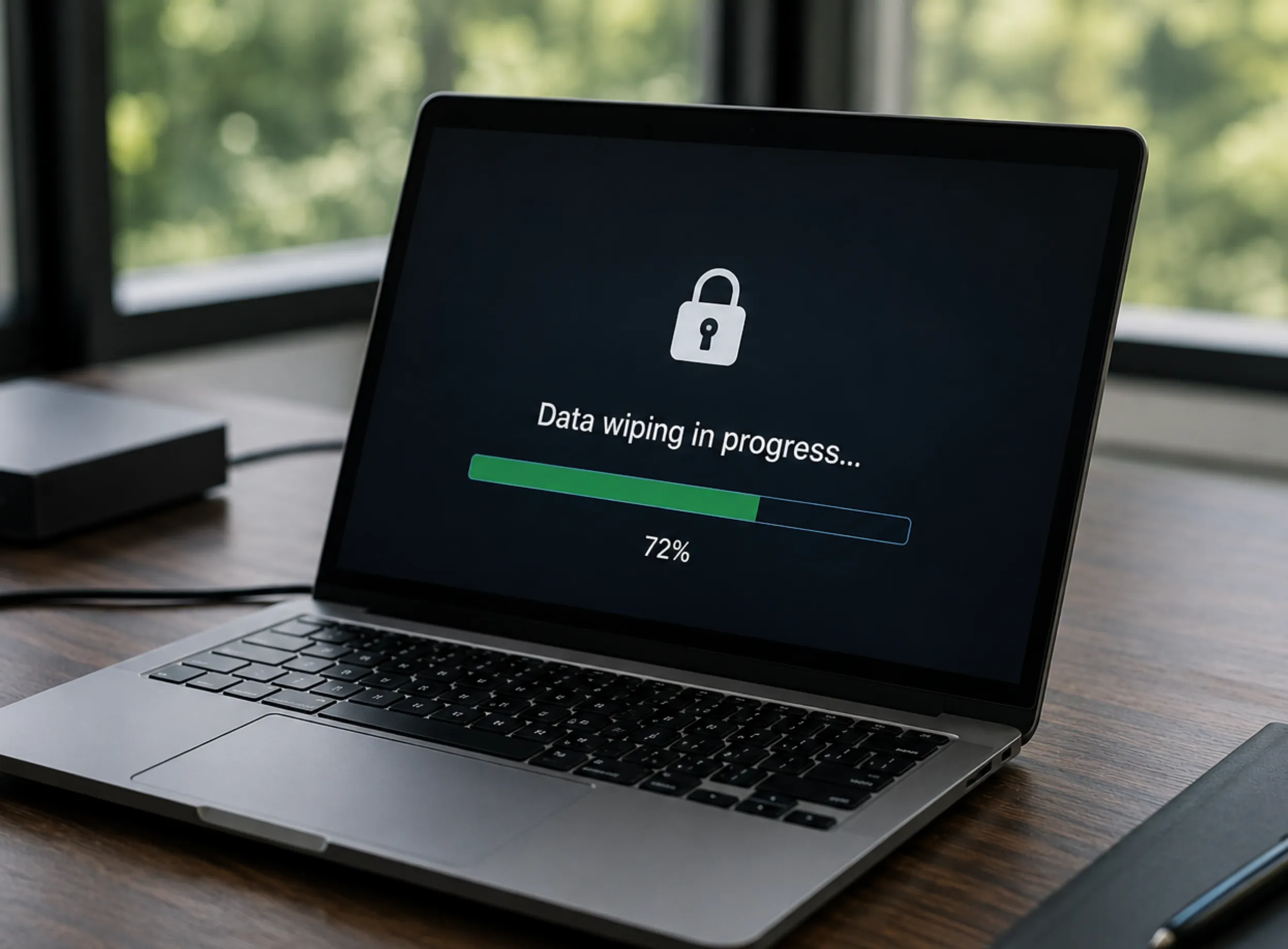
For many organizations, retiring old computers, servers, and storage devices appears to be a routine operational activity.
A laptop is replaced during a technology refresh. An employee leaves and returns company equipment. A server is upgraded as part of an infrastructure project. Old devices are moved into storage while the organization decides what to do with them.
At this stage, many businesses make a common assumption:
"If the files have been deleted or the device has been reset, the information is gone."
Unfortunately, this assumption can create significant security risks.
Modern IT equipment is not simply hardware. Devices that reach the end of their operational use may still contain valuable and confidential information, including:
- Customer records
- Employee information
- Financial documents
- Internal communications
- Business strategies
- Passwords and credentials
- Intellectual property
- Application data
A retired laptop, server, or storage device may continue to contain recoverable information even after files have been deleted or the operating system has been reinstalled.
Consider a company replacing 500 employee laptops during a technology refresh. Without proper sanitization procedures, every retired device represents a potential copy of corporate information leaving the organization's control.
Secure data disposal is therefore not simply about removing visible files. It is about ensuring that sensitive information is handled appropriately before equipment is reused, refurbished, recycled, or destroyed.
This is why businesses increasingly incorporate secure data sanitization into their broader IT Asset Disposition (ITAD) programs.
A professional ITAD process helps organizations manage retired technology through:
- Asset tracking
- Secure transportation
- Data sanitization
- Equipment evaluation
- Refurbishment
- Value recovery
- Responsible recycling
- Documentation and reporting
Proper technology retirement protects information while allowing organizations to recover value from assets that may still have useful life.
Understanding Data Disposal
What Is Data Disposal?
Data disposal refers to the process of securely removing information from storage devices when the data is no longer required.
The objective is to prevent unauthorized access to information after an organization no longer actively uses the device.
Organizations commonly encounter data disposal requirements when they:
- Replace employee computers
- Upgrade servers and storage systems
- Retire mobile devices
- Dispose of damaged equipment
- Decommission IT infrastructure
- Transfer equipment to another user or organization
The appropriate disposal method depends on several factors, including:
- The sensitivity of the information
- The type of storage technology
- Whether the equipment will be reused
- Internal security requirements
- Business and regulatory obligations
Secure disposal is therefore not a single action. It is a process of selecting the appropriate method to protect information throughout the asset retirement lifecycle.
Why Deleting Files Is Not Enough
Deleted Data May Still Exist
When a user deletes a file, the information is not always immediately removed from the storage device.
On many traditional hard disk drives (HDDs), deletion typically removes the reference that tells the operating system where the file is located. The underlying data may remain until that storage space is overwritten.
This means deleted information may potentially be recovered using specialized tools.
Examples of information that may remain accessible include:
- Documents
- Emails
- Photos
- Databases
- User profiles
- Application data
- Cached information
However, storage technology matters.
Traditional HDDs and modern solid-state drives (SSDs) handle deleted data differently. SSDs use flash memory and technologies such as wear-leveling and controller management, which means traditional overwrite methods may not always address every storage location.
For this reason, organizations should select sanitization methods based on the specific storage technology involved.
Common Methods That Do Not Fully Protect Business Data
1. Emptying the Recycle Bin
Many users assume that emptying the recycle bin permanently removes information.
In reality, this action generally removes the visible reference to the file rather than securely destroying the underlying data.
Until the storage space is properly sanitized, information may remain recoverable.
2. Formatting a Hard Drive
Formatting prepares a drive for reuse by creating a new file system structure.
However, standard formatting does not automatically guarantee secure removal of previously stored information.
A quick format typically removes file references while leaving much of the underlying data intact.
More advanced erase functions may provide different levels of protection depending on the storage technology and method used.
Organizations should avoid relying on standard formatting alone when handling devices that contain sensitive information.
3. Factory Resetting Devices
Factory resets are commonly used for:
- Laptops
- Smartphones
- Tablets
While factory resets return devices to their default settings, they are primarily designed for restoring functionality rather than providing complete data sanitization assurance.
Before transferring or disposing of business devices, organizations should verify that the chosen reset or sanitization method meets their security requirements.
The Risks of Improper Data Disposal
Improper handling of retired technology can create risks that extend beyond the device itself.
When organizations lose control of retired equipment without proper sanitization and tracking, they may unintentionally expose sensitive information, create compliance concerns, or lose the ability to demonstrate responsible asset management.
1. Data Breaches and Unauthorized Access
One of the most significant risks associated with improper data disposal is unauthorized access to information stored on retired devices.
A device leaving an organization does not automatically mean the information inside it has been removed.
Examples of information that may be exposed include:
- Customer information
- Employee records
- Financial documents
- Internal business communications
- Intellectual property
- Authentication credentials
For example, a company selling used computers without proper sanitization may unknowingly transfer copies of previous users' files along with the hardware.
A retired device can therefore become an unexpected security vulnerability if information is not properly managed before disposal.
2. Compliance and Regulatory Responsibilities
Organizations have responsibilities when collecting, storing, using, and disposing of sensitive information.
In the Philippines, businesses handling personal information must consider their obligations under:
Republic Act No. 10173 – Data Privacy Act of 2012
Organizations should implement appropriate safeguards throughout the information lifecycle, including when information is no longer required.
While the Data Privacy Act does not prescribe a specific IT Asset Disposition process, secure technology retirement should form part of an organization's broader privacy and information security practices.
Responsible practices include:
- Identifying devices that contain sensitive information
- Applying appropriate sanitization procedures
- Restricting access during asset handling
- Maintaining documentation of disposal activities
3. Reputation and Customer Trust
A data incident involving retired technology can affect more than an organization's security posture.
Customers, employees, partners, and stakeholders increasingly expect businesses to demonstrate responsible information management.
Poor disposal practices may raise concerns about:
- Cybersecurity controls
- Data protection practices
- Internal governance
- Overall operational discipline
A documented data disposal process helps demonstrate that an organization treats information protection as a continuous responsibility.
4. Loss of Asset Visibility and Control
Another common challenge is losing visibility over retired equipment.
Without proper tracking, organizations may struggle to answer important questions:
- Where did the device go?
- Who handled the equipment?
- Was the data securely removed?
- Was the equipment reused or recycled?
- Can the final disposition be verified?
Professional IT Asset Disposition processes address these challenges through:
- Asset tracking
- Chain of custody procedures
- Processing documentation
- Final disposition reporting
Understanding Secure Data Sanitization
What Is Data Sanitization?
Data sanitization is the process of intentionally removing information from storage media so that unauthorized individuals cannot access the data.
Unlike simply deleting files, sanitization is designed to provide a higher level of assurance that information has been removed according to defined security requirements.
Data sanitization methods apply to many types of storage media, including:
- Hard disk drives (HDDs)
- Solid-state drives (SSDs)
- USB storage devices
- Memory cards
- Mobile devices
- Enterprise storage systems
- Backup media
The appropriate sanitization method depends on:
- Data sensitivity
- Storage technology
- Security requirements
- Intended future use of the equipment
Method 1: Data Wiping
What Is Data Wiping?
Data wiping uses specialized software to overwrite stored information so that previous data becomes difficult or impossible to recover.
The process replaces existing information with controlled patterns or performs approved erase operations designed for the specific storage technology.
Data wiping is commonly used when equipment will:
- Be reused internally
- Be refurbished
- Be resold
- Continue operating after retirement
Benefits of Data Wiping
Data wiping provides several advantages:
- Protects sensitive information
- Allows equipment reuse
- Preserves asset value
- Supports circular economy objectives
- Reduces unnecessary electronic waste
However, data wiping must be performed correctly.
Organizations should consider:
- The type of storage media involved
- Whether the method supports verification
- Whether the process produces documentation
- Whether the sanitization level matches the sensitivity of the information
Method 2: Cryptographic Erase
Some modern storage devices support encryption-based sanitization methods.
Cryptographic erase works by removing or destroying encryption keys that protect stored information. When properly implemented, encrypted data becomes inaccessible.
This method may apply to certain:
- Self-encrypting drives
- Modern SSDs
- Enterprise storage systems
However, cryptographic erase depends on proper encryption implementation and key management throughout the life of the device.
Organizations should verify that:
- Encryption was properly enabled
- Encryption keys are managed appropriately
- The device supports secure cryptographic erase
- The method satisfies organizational security requirements
Method 3: Physical Destruction
Physical destruction involves making storage media unusable through methods such as:
- Drive shredding
- Crushing
- Specialized destruction processes
Physical destruction may be appropriate when:
- Data sensitivity is extremely high
- Storage media cannot be reliably sanitized
- Organizational policies require destruction
- Technical limitations prevent secure reuse
However, destruction also removes opportunities for:
- Equipment reuse
- Refurbishment
- Secondary markets
- Certain material recovery options
Organizations should balance security requirements with sustainability goals when selecting destruction as a disposal method.
Industry Standards for Secure Data Disposal
Organizations often reference recognized standards and frameworks when developing data disposal procedures.
One commonly referenced framework is:
NIST Special Publication 800-88: Guidelines for Media Sanitization
The National Institute of Standards and Technology (NIST) provides guidance for securely managing storage media throughout its lifecycle.
NIST describes three categories of sanitization outcomes:
Clear
A sanitization method designed to protect against basic data recovery attempts while allowing the media to remain suitable for reuse.
Purge
A stronger sanitization method intended to make recovery significantly more difficult using advanced techniques.
Destroy
A method that physically renders the media unusable.
The appropriate sanitization method depends on factors such as:
- Data classification
- Storage technology
- Security requirements
- Organizational policies
- Future use of the equipment
NIST guidance helps organizations make informed decisions rather than applying a single disposal method to every situation.
The Role of IT Asset Disposition (ITAD)
Secure data disposal is an important part of technology retirement, but it is only one stage of a complete IT Asset Disposition (ITAD) process.
A professional ITAD program manages retired technology from the moment equipment leaves active use until its final outcome is determined.
Rather than treating retired equipment as waste, ITAD evaluates each asset to determine the most appropriate path based on:
- Data security requirements
- Equipment condition
- Business objectives
- Environmental considerations
- Recovery opportunities
A complete ITAD process may include:
- Asset collection
- Inventory identification and tracking
- Secure transportation
- Data sanitization
- Equipment testing and evaluation
- Refurbishment and value recovery
- Responsible recycling
- Documentation and reporting
This approach provides organizations with greater control over retired technology while helping protect sensitive information and recover remaining asset value.
Why ITAD Matters Beyond Data Security
While secure data disposal is a primary concern, ITAD addresses several additional business challenges.
A structured ITAD program helps organizations:
Maintain Asset Accountability
Organizations can maintain visibility over retired equipment by documenting:
- Asset information
- Movement history
- Processing activities
- Final disposition outcomes
This reduces uncertainty about what happens after equipment leaves active use.
Recover Remaining Asset Value
Not every retired device is ready for recycling.
Depending on condition and market demand, equipment may be:
- Redeployed internally
- Refurbished
- Resold
- Used for parts recovery
- Processed for material recovery
Recovering value from retired assets can help organizations maximize their technology investments.
Support Sustainability Objectives
Responsible ITAD practices help organizations reduce unnecessary disposal by prioritizing:
- Reuse
- Refurbishment
- Component recovery
- Material recycling
Extending the useful life of technology helps reduce demand for new equipment production and supports circular economy principles.
Best Practices for Businesses Preparing to Retire Technology
Organizations can reduce security and operational risks by establishing a consistent technology retirement process.
1. Create a Technology Retirement Policy
A documented policy helps define:
- When assets should be retired
- Who approves retirement decisions
- How equipment should be handled
- Required security procedures
- Documentation requirements
A clear process reduces confusion and ensures employees understand their responsibilities.
2. Maintain Accurate Asset Records
Before equipment is retired, organizations should verify important asset information.
Records may include:
- Manufacturer
- Model
- Serial number
- Asset tag
- Assigned user
- Location
- Retirement status
Accurate records improve accountability throughout the asset lifecycle.
3. Classify Information Sensitivity
Not every device requires the same level of sanitization.
Organizations should understand the type of information stored on their equipment.
Examples include:
- Public information
- Internal business information
- Confidential information
- Highly sensitive information
Data classification helps determine the appropriate sanitization approach.
4. Select Verified Sanitization Methods
Organizations should select sanitization methods based on:
- Storage technology
- Security requirements
- Business needs
- Future use of the equipment
A method suitable for a reused laptop may not be appropriate for highly sensitive storage media requiring destruction.
5. Maintain Documentation
Documentation provides evidence that proper procedures were followed.
Records may include:
- Asset processing reports
- Sanitization reports
- Certificates of destruction
- Recycling documentation
- Final disposition records
Good documentation supports internal governance, customer requirements, and audit readiness.
Secure Data Disposal in the Philippines
As organizations in the Philippines continue adopting digital technologies, the responsible retirement of IT equipment is becoming increasingly important.
Industries managing significant volumes of technology assets include:
- Banking and financial services
- Business Process Outsourcing (BPO)
- Manufacturing
- Healthcare
- Government
- Education
- Telecommunications
These organizations may manage large numbers of devices containing sensitive information.
A secure data disposal strategy helps organizations:
- Reduce cybersecurity risks
- Support privacy responsibilities
- Maintain asset accountability
- Improve technology lifecycle management
- Promote responsible handling of electronic equipment
Organizations should consider both information security and environmental responsibilities when planning technology retirement.
Conclusion
Deleting files is not the same as securely removing data.
For businesses, retired technology represents more than outdated equipment. It represents a potential source of sensitive information that requires proper management before devices leave organizational control.
A secure data disposal process ensures that information is appropriately handled before equipment is:
- Reused
- Refurbished
- Resold
- Recycled
- Destroyed
By implementing proper data sanitization practices and incorporating them into a structured IT Asset Disposition program, organizations can protect sensitive information while maximizing the remaining value of their technology assets.
Secure technology retirement is not simply the final step after equipment is replaced. It is an important part of protecting the organization, its customers, and its information throughout the complete technology lifecycle.
How Envirocycle Can Help With Secure IT Asset Disposition
Managing retired technology requires more than simply removing files or sending old equipment for recycling. Organizations need a trusted process that protects sensitive information, maintains accountability, and ensures technology assets are handled responsibly.
Envirocycle helps organizations manage the complete IT Asset Disposition (ITAD) lifecycle by providing secure, sustainable, and transparent solutions for retired IT equipment.
Through a structured ITAD approach, Envirocycle helps businesses with:
Secure Data Sanitization
Protecting sensitive information is one of the most important parts of retiring technology.
Envirocycle helps organizations securely manage data-bearing devices through proper data sanitization processes designed to reduce the risk of unauthorized access to information stored on:
- Computers
- Laptops
- Servers
- Hard drives
- Storage devices
- Other electronic assets
Proper documentation provides organizations with visibility and confidence that retired devices have been handled according to defined security requirements.
Responsible Asset Recovery
Retired technology may still contain value.
Instead of immediately treating equipment as waste, Envirocycle evaluates assets to identify opportunities for:
- Reuse
- Refurbishment
- Resale
- Parts recovery
- Responsible recycling
This approach helps organizations maximize the value of their technology investments while supporting circular economy principles.
Secure Collection and Asset Management
A professional ITAD process begins before equipment leaves an organization.
Envirocycle supports responsible asset handling through structured processes that help organizations maintain control over retired technology, including:
- Asset identification
- Collection coordination
- Secure handling
- Inventory tracking
- Processing documentation
This helps businesses maintain visibility throughout the disposition process.
Supporting ESG and Sustainability Goals
Organizations are increasingly focused on reducing electronic waste and improving sustainability performance.
By prioritizing reuse, refurbishment, and responsible recycling, Envirocycle helps businesses:
- Reduce unnecessary electronic waste
- Extend technology lifecycles
- Recover valuable resources
- Support circular economy initiatives
- Strengthen sustainability reporting efforts
Responsible ITAD allows organizations to turn retired technology from a disposal challenge into an opportunity for environmental improvement.
Helping Organizations Build a More Responsible Technology Lifecycle
Technology retirement should be viewed as part of the complete asset lifecycle—not as the final step after equipment replacement.
With secure processes, responsible recovery practices, and sustainability-focused solutions, Envirocycle helps organizations manage retired IT assets with greater confidence.
Whether an organization is replacing employee devices, upgrading infrastructure, or managing large-scale technology refresh projects, Envirocycle provides the expertise and support needed to handle retired technology securely, sustainably, and responsibly.
Envirocycle helps businesses transform retired technology into a secure, sustainable, and valuable resource.